Find the quantum-vulnerable cryptography in your code.
CAMP shows you the cryptography running on your network. QryptoScan shows you the cryptography your developers are still writing — the RSA key generation, the SHA-1 signature, the pre-PQC library pinned three versions back — and tracks each one to closure before it ships.
The migration has a third front
Replacing certificates does not replace the code that generates them. Every service that calls RSA directly, every hardcoded curve, every library pinned below its post-quantum release is a migration item that no certificate inventory can see — because it is not on the wire yet.
Find the crypto in your code
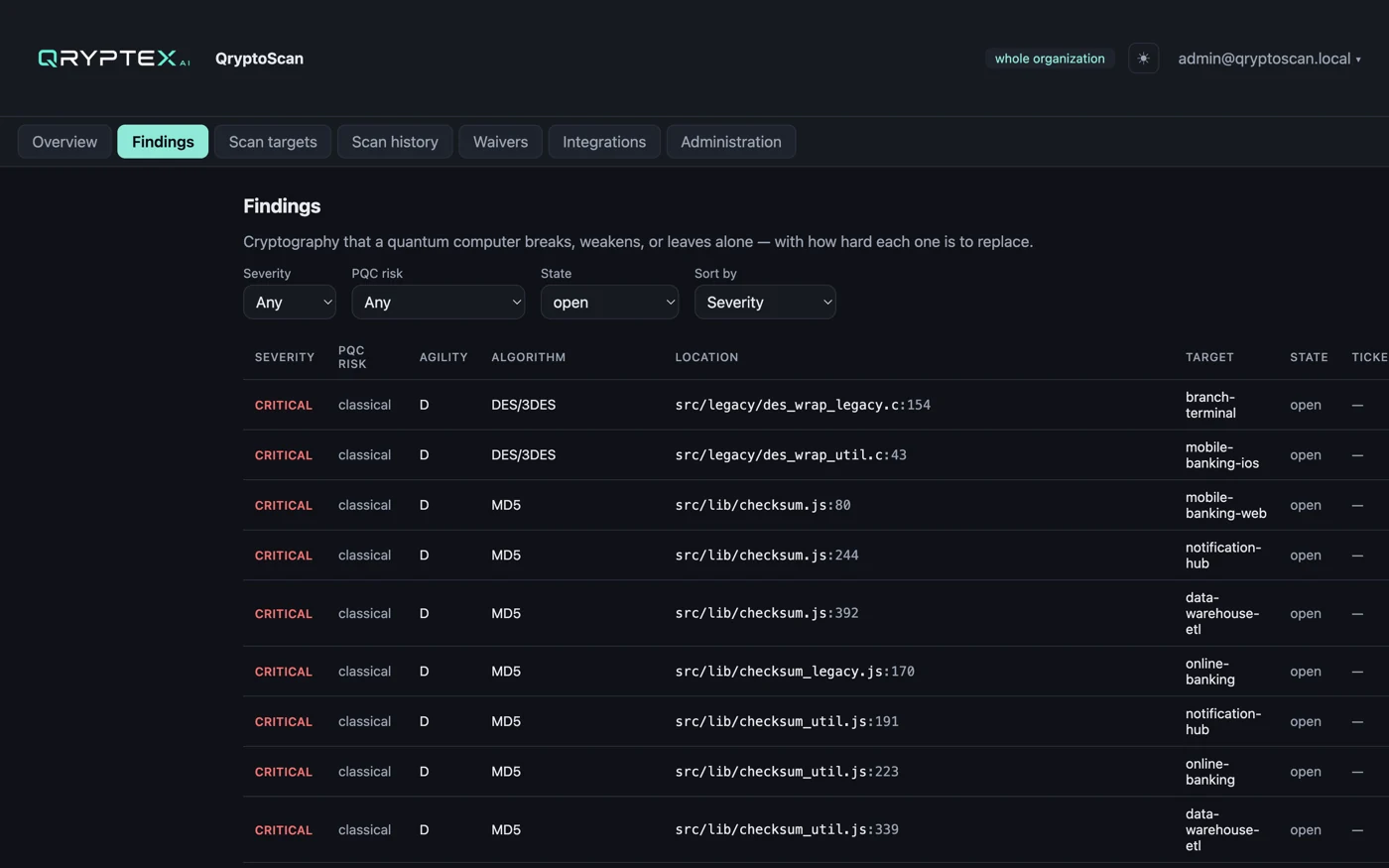
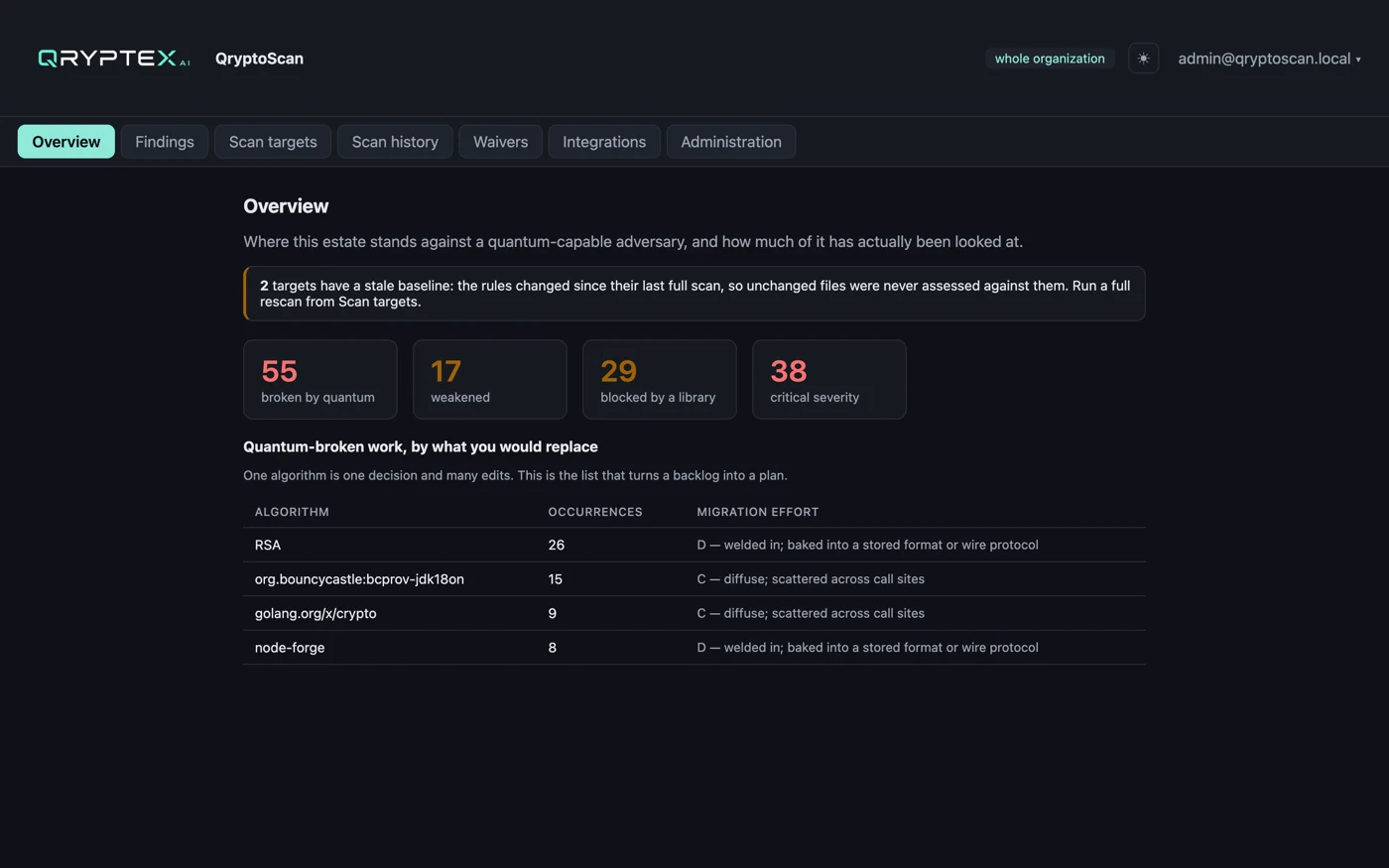
Scans your repositories for the cryptography you actually call — RSA, ECDSA, DH, DES, MD5, SHA-1, ECB mode — and grades each finding by how quantum computing affects it: broken, weakened, or unrelated.
Pre-PQC libraries, by version
A catalogue of crypto libraries and the versions at which post-quantum support arrives. A dependency below that line is flagged with the version to move to, not just a name.
Findings that survive a re-scan
Each finding is identified by rule, file, symbol and match — never by line number. Reformat a file or add an import and the triage you did yesterday still applies.
Scan only what changed
After the first full scan, later runs read the diff against the last scanned commit. A rule-pack change or a missing merge base forces a full re-scan automatically.
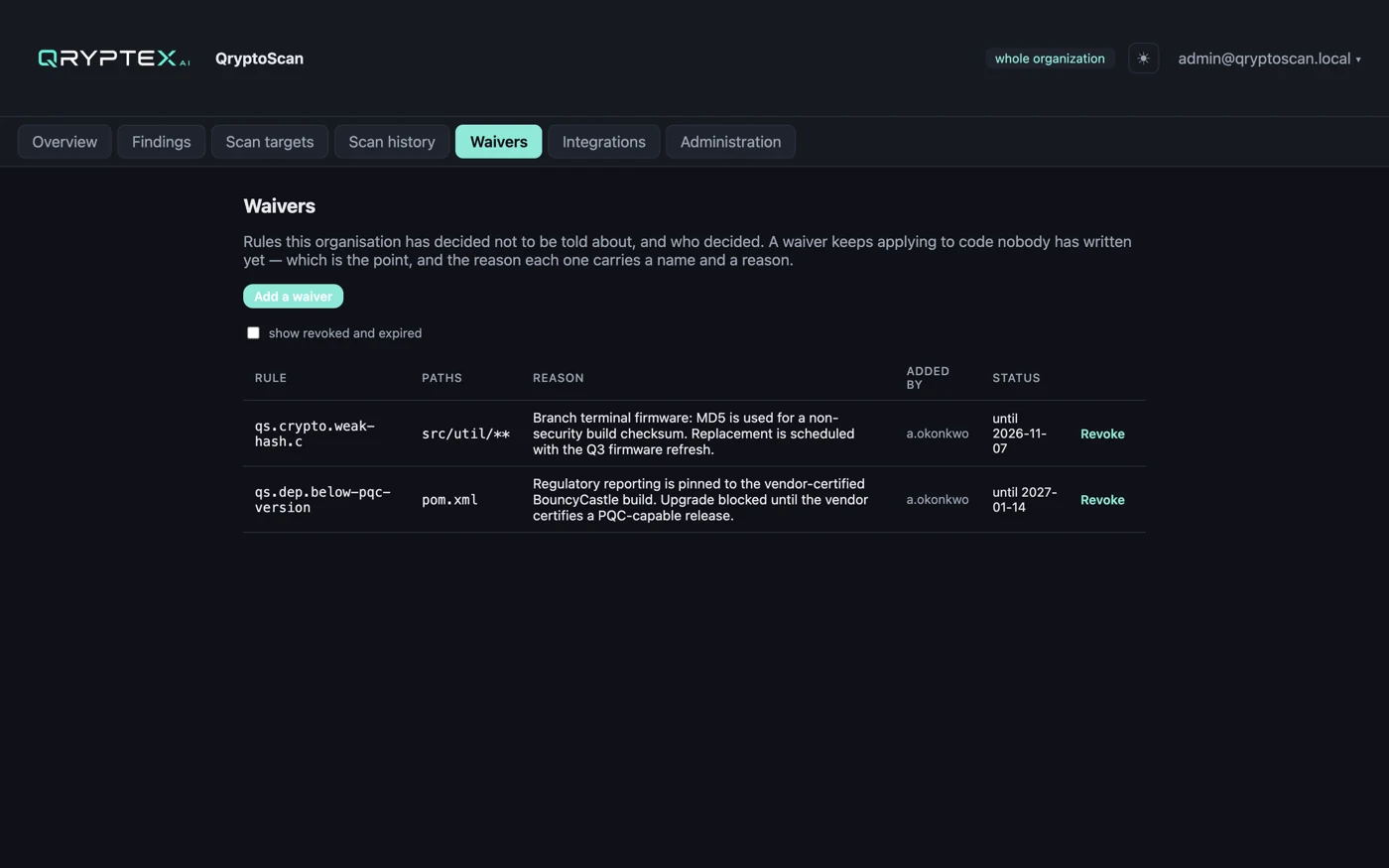
Waivers with a reason and an expiry
Accept a finding with a justification and a review date rather than deleting it. Waivers are scoped by rule, path or algorithm and are auditable.
The work lands in your tracker
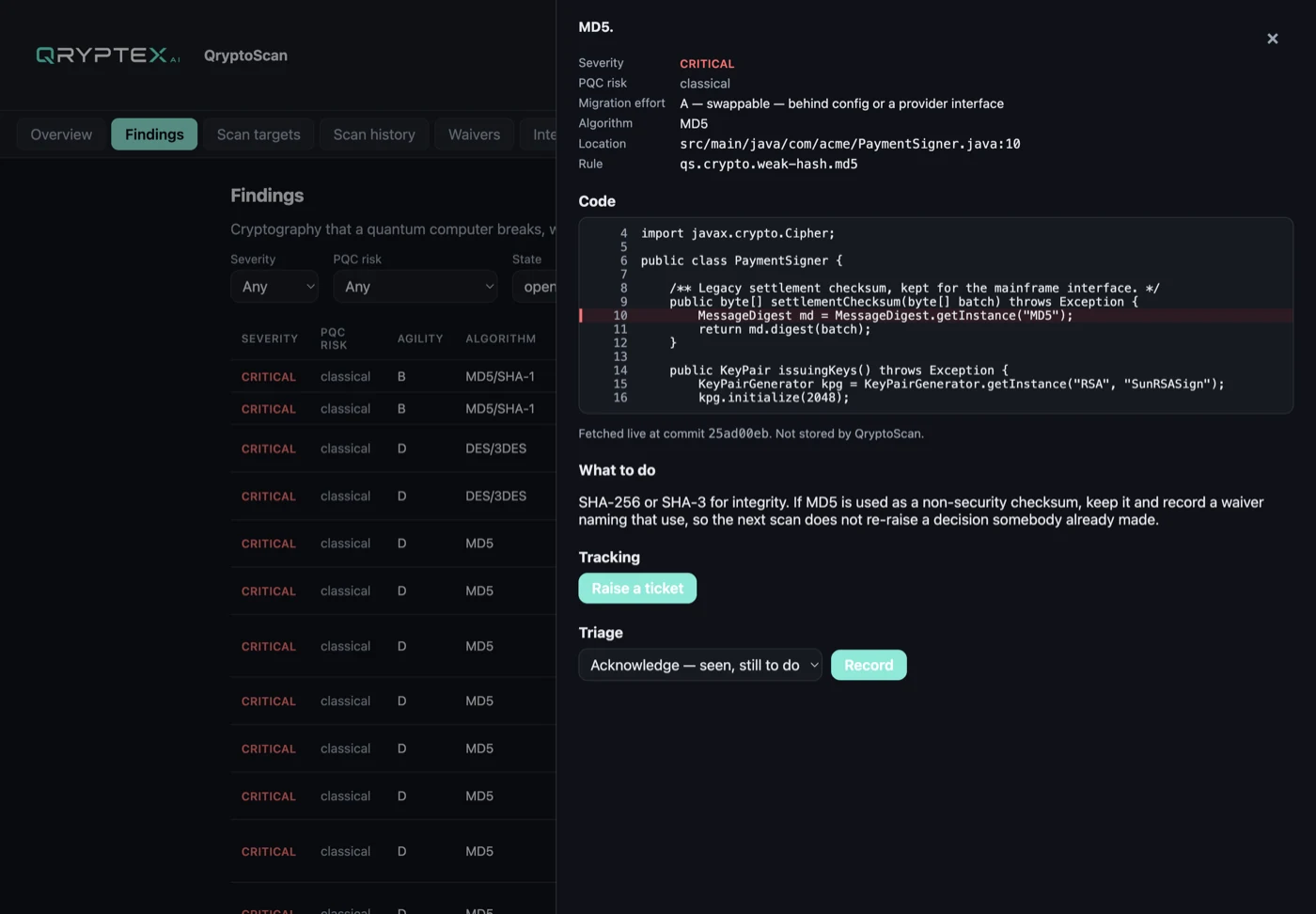
Raise a Jira issue from a finding, with the code and the remediation in the ticket. Never a pull request into your repository — remediation stays your decision.
Runs on a schedule, unattended
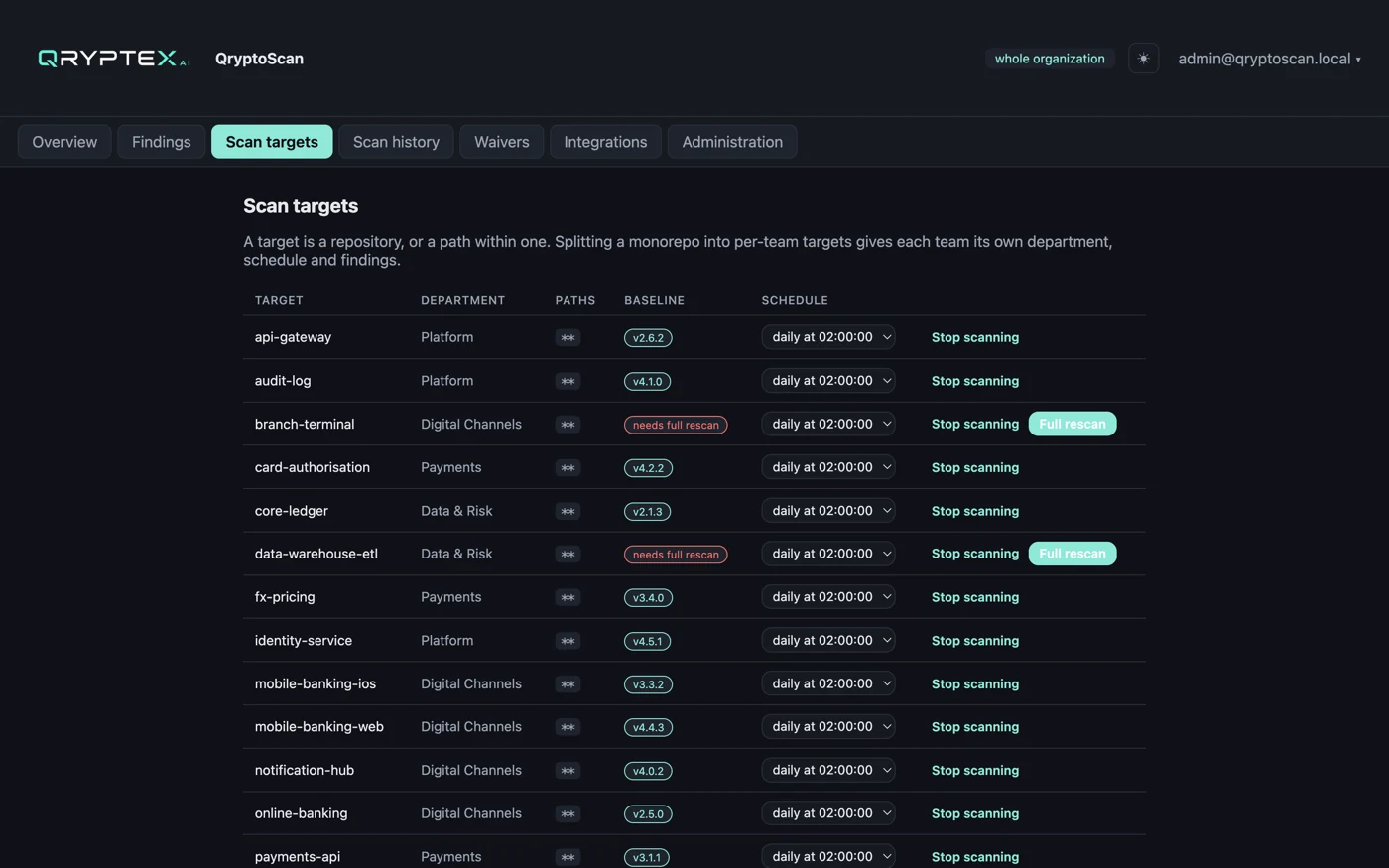
Nightly or weekly per target, with a shared queue that survives restarts. Stale baselines are surfaced rather than silently re-used.
A CBOM, and readiness for M-26-15
Grade the estate against OMB M-26-15's inventory and agility criteria, and export a CycloneDX 1.6 cryptographic bill of materials with a PDF report — stating what was not examined, so clean is never mistaken for complete.
Your code never leaves your network
The scanner clones inside your environment and removes the working copy before reporting. Node-locked licensing; source is read, never stored or transmitted.
Connect → scan → triage → ticket
Point it at your Git host, and it discovers the estate. Each repository becomes a scan target; findings are graded by quantum risk and severity, waived with a reason or filed as work. Remediation lands in your tracker — never as a pull request into your repository.
Connect
Give it read access to your Git host. It catalogues every repository and team, and creates a scan target per repository.
Scan
Clones inside your network, runs the rule pack and the dependency catalogue, and removes the working copy before reporting.
Triage
Each finding carries the code, the algorithm, and why it matters after quantum. Accept it with a reason and an expiry, or keep it open.
Ticket
File the finding into Jira with its snippet and remediation, and track the issue's status back on the finding.
Reading source is a privilege, not a feature
QryptoScan reads your source code, so it runs inside your network and talks outward — to your Git host and your issue tracker — and never accepts an inbound connection from the internet. Polling is the default precisely because most organisations will not open a webhook. The clone is deleted before the scan is reported, and the licence is verified offline against a key compiled into the product, so an air-gapped install can check its own entitlement.
Self-host on your own infrastructure
QryptoScan runs entirely on your infrastructure. Request access and we email you a read-only registry login, the install instructions and an evaluation licence — the installer is one command and activation is an upload in the browser.
The images are private, so the install begins with a registry sign-in. Your credentials and the commands arrive with your licence.
Minimum requirements (self-hosted, single VM)
| Minimum | Recommended | |
|---|---|---|
| vCPU | 4 | 8 |
| RAM | 8 GB | 16 GB |
| Disk | 40 GB SSD | 100 GB SSD |
| OS | Linux x86_64 with Docker Engine 24+ | — |
| Network | outbound 443 to our image registry (install and upgrade only) | — |
What you actually get
Screens from a running installation, scanning a real Git estate.